

A sluggish WooCommerce store is a revenue leak. In 2026, search engines and customers alike demand sub-second load times. While manual tuning is helpful, the most successful stores leverage automation to stay fast.
Pro Tip: Don’t have time to implement all 15 steps manually? Kkey Speed Optimizer automates 80% of these optimizations, including database cleanup, script deferral, and cart fragment management. Start your 14-day free trial today and see your PageSpeed score jump.
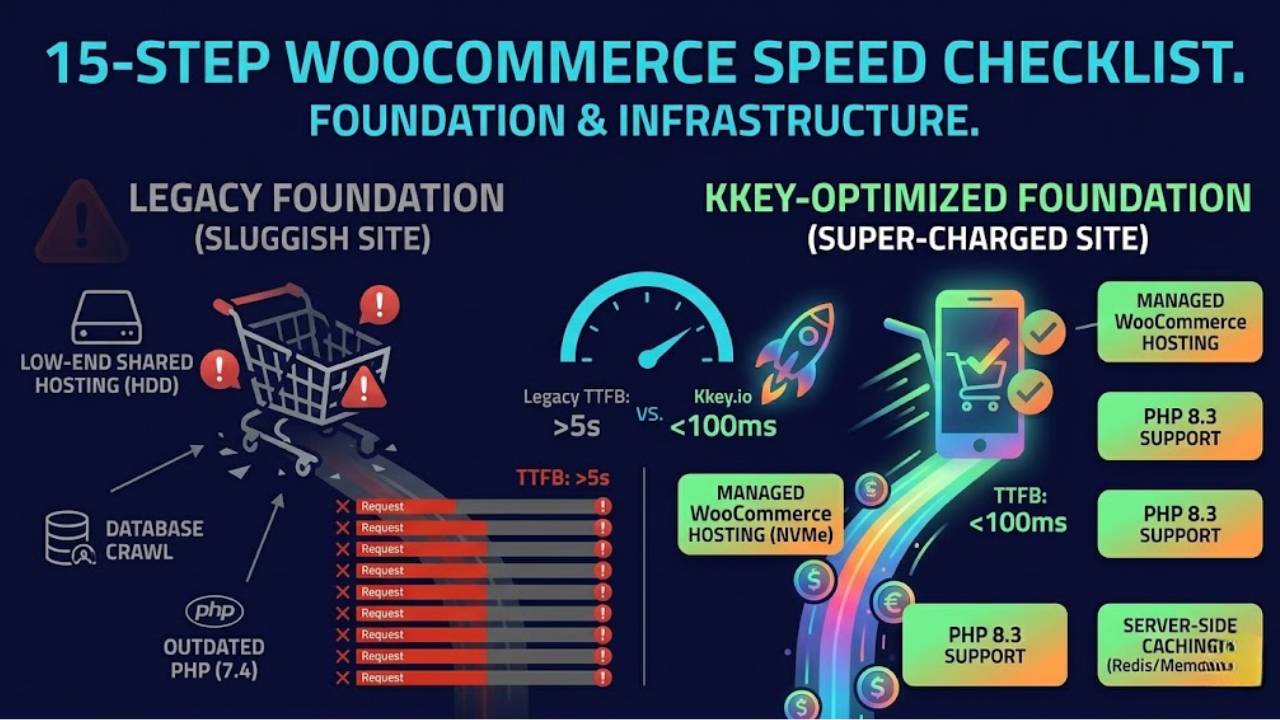
The 15-Step WooCommerce Speed Checklist
Foundation & Infrastructure
- Managed WooCommerce Hosting: Stop using low-end shared hosting. You need NVMe-backed storage and PHP 8.3 support.
- Server-Side Caching (Redis/Memcached): Move database queries into RAM to prevent “database crawl.”
- Update PHP Versions: Always run the latest stable PHP version for up to 30% faster execution.
- Content Delivery Network (CDN): Serve images and assets from a local server near your customer, not just your origin server.
Theme & Plugin Management
- Choose a “Performance-First” Theme: Avoid heavy multipurpose themes. Stick to lightweight options like GeneratePress, Astra, or Hello Elementor.
- The “Plugin Audit”: Every plugin has a cost. If you haven’t used it in 30 days, uninstall it.
- Consolidate Functionality: Use multi-purpose plugins. A single, high-quality optimization suite is faster than 10 separate plugins.
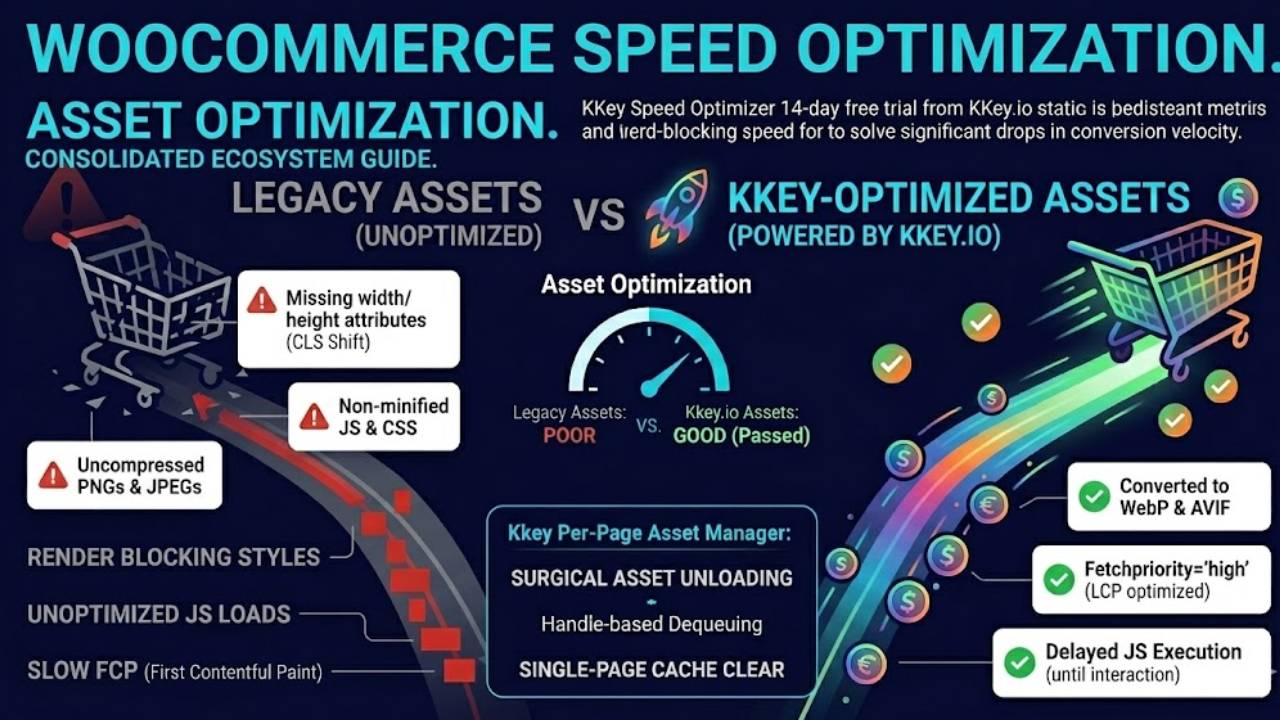
Asset Optimization
- Image Compression & Next-Gen Formats: Convert all assets to WebP or AVIF.
- Lazy Loading: Prevent off-screen images from loading until the user scrolls.
- Video Embedding: Never host videos on your server. Embed via YouTube, Vimeo, or specialized video CDNs.
- Minify JS, CSS, and HTML: Remove “dead code” (whitespace, comments) that adds unnecessary weight to your pages.
Advanced WooCommerce Tweaks
- Disable AJAX Cart Fragments: This is the #1 hidden cause of slow WooCommerce TTFB. Use Kkey Speed Optimizer to disable this on non-store pages instantly.
- Clean the Database: Regularly purge transient data, expired sessions, and post revisions.
- Limit Revisions: Keep your wp-config.php set to a maximum of 5 revisions.
- Strategic Pagination: Don’t load 100 products on one page. Use pagination or “load more” buttons to reduce server strain.
How to Benchmark Your Progress
Don’t optimize blindly. Use these two industry-standard tools to measure your gains:
- Google PageSpeed Insights: Focus on your Core Web Vitals. Aim for LCP (Largest Contentful Paint) under 2.5s.
- Query Monitor: The best developer tool to see which specific plugin or function is killing your database speed.
Conclusion
Speed is not a “one-and-done” task; it is a commitment. By optimizing your hosting, pruning your database, and using a dedicated tool like Kkey Speed Optimizer, you create a frictionless experience that turns visitors into repeat customers.
