

7 Ways to Dramatically Improve WooCommerce Speed (2025)

Imagine you’re shopping online for the perfect gift. You click on a promising link, only to be met with a loading icon that seems to spin forever. You wait a few seconds, get frustrated, and click the back button. You’ve just become another lost sale for a slow eCommerce store.

In today’s competitive online market, speed isn’t just a feature; it’s a necessity. Studies show that if a page takes more than a couple of seconds to load, a significant percentage of potential customers will leave and likely never return. A slow website directly translates to lost revenue.

Let’s look at how you can measure your store’s performance and take actionable steps to make it blazing fast.

How to Measure Your Store’s Speed

Before you start making changes, you need a baseline. Understanding your current performance will help you track your improvements. Here are a few excellent, free tools to measure your site speed:

  • Google PageSpeed Insights: Provides performance scores for both mobile and desktop directly from Google, along with tailored recommendations.
  • GTmetrix: Offers a detailed performance report, breaking down metrics like “Time to First Byte” and “Fully Loaded Time” to pinpoint specific issues.
  • Pingdom: Features a user-friendly interface and allows you to test your site’s load time from various geographic locations.

Run your site through a few of these tools to get a comprehensive picture of your current speed. Now, let’s get to work on improving it.

1. Build on a Solid Foundation: High-Quality Hosting

Your web host is the engine of your online store. If the engine is weak, nothing else you do will matter. A cheap, shared hosting plan might seem cost-effective, but it often means your store is sharing resources with thousands of other websites on the same server. This can lead to dramatic slowdowns during peak traffic.

For a serious WooCommerce store, invest in a host that specializes in WordPress and WooCommerce. Look for features like:

  • Server-side caching
  • High-performance SSD (Solid State Drive) storage
  • Sufficient RAM and processing power
  • The latest versions of software like PHP and MySQL

2. Choose a Lightweight and Optimized Theme

Your theme dictates the design and layout of your store, but it also contributes significantly to its code-bloat. A complex theme with dozens of built-in features, page builders, and flashy animations adds more files (CSS and JavaScript) that the browser has to load.

When choosing a theme, prioritize speed and simplicity. You can run a theme’s demo page through the speed testing tools mentioned above to see how it performs. A well-coded theme like WooCommerce’s own Storefront is a fantastic, lightweight starting point that can be customized without sacrificing performance.

3. Optimize Your Images for the Web

For an online store, high-quality images are non-negotiable. However, large, unoptimized image files are one of the biggest culprits of slow load times. The key is to find the perfect balance between quality and file size.

  • Compress Images: Use a plugin like Smush or EWWW Image Optimizer to automatically compress images upon upload without a noticeable drop in quality.
  • Use the Right Format: Use JPEGs for product photos and PNGs for images that require a transparent background.
  • Implement Lazy Loading: This clever technique delays the loading of images until a user scrolls down to them. This dramatically speeds up the initial page load, especially for long product pages or category archives.

4. Be Strategic and Smart with Plugins

The power of WordPress and WooCommerce lies in their extensibility through plugins. However, it’s easy to fall into the trap of installing a plugin for every minor feature. Each active plugin adds code to your site, increases database queries, and sends more requests to your server.

It’s not about the number of plugins, but their quality. A single poorly coded plugin can slow your site down more than 20 well-coded ones. Regularly audit your installed plugins. If you’re not using one, deactivate and delete it. Choose reputable plugins from trusted sources that are frequently updated.

You can try Kkey Speed Optimizer completely free for 30 days at kkey.io. No credit card is needed to get started. Stop losing customers to slow load times and give your store the performance boost it deserves.

5. Leverage Caching and a Content Delivery Network (CDN)

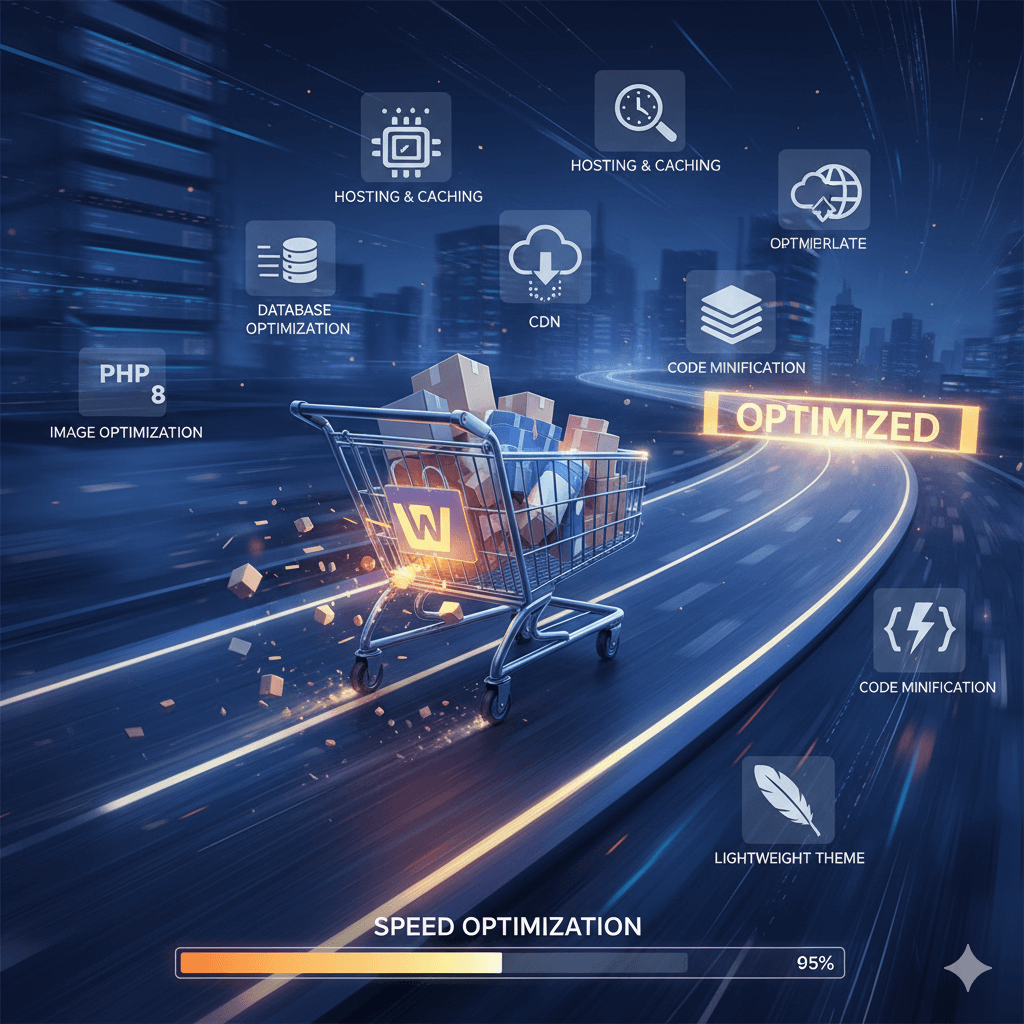
Caching is like creating a temporary memory for your website. When a visitor arrives, their browser has to load all your assets (images, code, etc.). A caching plugin creates a static HTML version of your page, which is served much more quickly to subsequent visitors. It dramatically reduces the load on your server.

A Content Delivery Network (CDN) takes this a step further. It stores copies of your site’s static assets (like images and CSS files) on a global network of servers. When a customer from another country visits your store, the CDN delivers those assets from a server physically closest to them, significantly reducing latency and speeding up load times for your international audience.

You can try Kkey Speed Optimizer completely free for 30 days at kkey.io. No credit card is needed to get started. Stop losing customers to slow load times and give your store the performance boost it deserves.

6. Keep Your Entire Tech Stack Updated

Outdated software is not just a security risk; it’s a performance bottleneck. Updates to WordPress core, your theme, and your plugins often include performance enhancements and optimized code.

Most importantly, ensure you are running a recent version of PHP, the programming language WordPress is built on. Each new version of PHP brings significant speed improvements. You can usually update your PHP version through your hosting control panel, or you can ask your host’s support team to do it for you.

7. Clean and Optimize Your Database

Over time, your WooCommerce database accumulates a lot of “junk” data—things like old post revisions, trashed comments, expired transients, and old order information. This bloated database forces your server to work harder to find the information it needs, which slows down everything from the admin dashboard to the customer-facing storefront.

Use a database optimization plugin to periodically clean up this unnecessary data, keeping your database lean and efficient.

The Easiest Way to a Faster Store

Implementing all these optimizations can be a daunting and time-consuming task, especially if you aren’t a developer. You might need multiple plugins for caching, image optimization, asset management, and database cleaning, which can create their own conflicts.

This is why we recommend Kkey Speed Optimizer. It’s an all-in-one performance solution designed specifically for WooCommerce that handles the most critical speed optimizations for you. Instead of juggling multiple tools, Kkey Speed Optimizer provides a comprehensive suite of features, including advanced caching, image compression, asset management, and AI-powered suggestions to make your store incredibly fast with minimal effort.

Ready to see the difference for yourself? You can try Kkey Speed Optimizer completely free for 30 days at kkey.io. No credit card is needed to get started. Stop losing customers to slow load times and give your store the performance boost it deserves.

WooCommerce Speed Optimization Made Simple with Kkey.io

Is Your WooCommerce Store Losing Customers Due to Slow Speeds? Supercharge It with Kkey Speed Optimizer!

In the world of online shopping, every second counts. A slow website doesn’t just frustrate visitors—it costs you sales. If your WordPress or WooCommerce store is lagging, you’re leaving money on the table.

Introducing the Kkey Speed Optimizer, the all-in-one plugin designed to make your website incredibly fast, improve user experience, and boost your conversions. We’ve packed it with powerful features but made it simple enough for anyone to use. You don’t need to be a tech expert to get lightning-fast results!

How Does Kkey Make Your Site Faster? Simple.

Think of your website like a car. Over time, it picks up extra weight and clutter that slows it down. Kkey Speed Optimizer tunes up your engine, lightens the load, and gives it a turbo boost. Here’s how:

1. Stop Loading Unnecessary Things (Especially from WooCommerce!)

WooCommerce is fantastic, but it loads scripts and styles on every single page of your site, even your blog or “About Us” page. This is like carrying around a full set of golf clubs when you’re just going to the grocery store.

  • What Kkey does: It intelligently disables WooCommerce scripts on non-shop pages.
  • The result: Your non-product pages (like your homepage or blog) load significantly faster, creating a great first impression. It also stops the constant checking of the shopping cart on every page, a major source of slowdown for many stores.

2. Make Your Pages Load Instantly with Caching

Normally, when a visitor arrives, your server has to build the webpage from scratch every single time. This takes time.

  • What Kkey does: It creates a super-fast, ready-to-go HTML copy of your pages (this is called Page Caching). When a visitor arrives, it serves them this pre-built version instantly. It even has a separate cache for mobile users to ensure they have the best experience.
  • The result: Near-instant load times for visitors, making your site feel incredibly responsive and professional.

3. Optimize Your Website’s Code (CSS & JavaScript)

Your website’s code can be messy and disorganized, forcing browsers to download many small files, which is slow and inefficient.

  • What Kkey does: It takes all your CSS and JavaScript files, tidies them up (Minify), and bundles them together (Combine). It then tells the browser to load them in a smarter way that doesn’t block the rest of your page from appearing (Defer/Delay).
  • The result: Your pages start to appear visible to users much more quickly, so they aren’t staring at a blank white screen. This dramatically improves perceived performance.

4. Supercharge Your Images

Large, unoptimized images are the #1 cause of slow websites.

  • What Kkey does: It’s a complete image optimization suite!
    • Automatic WebP Conversion: It creates and serves next-gen WebP images, which are much smaller than JPEGs or PNGs, to compatible browsers.
    • Image Compression & Resizing: Automatically compresses and resizes oversized images when you upload them, without sacrificing quality.
    • Lazy Loading: Images will only load when a user is about to scroll to them, instead of all at once.
  • The result: Crystal-clear images that load in a flash, speeding up your entire site, especially image-heavy product pages.

5. Advanced Tweaks for Extra Speed

We’ve included a toolbox of extra goodies to squeeze out every last drop of performance:

  • Database Tools: Clean up old post revisions that bloat your database.
  • Disable Clutter: Easily turn off things you don’t need, like WordPress Emojis and Google Fonts.
  • Heartbeat Control: Reduces the constant “checking in” that WordPress does in the background, saving your server’s resources.

Unique Features That Put You Ahead

  • Cache Crawler: Don’t wait for visitors to build your cache! Our intelligent crawler automatically visits your pages in the background to make sure a super-fast version is always ready for your customers.
  • AI-Powered Analysis: Not sure where to start? Our plugin can use AI (Google Gemini or ChatGPT) to analyze your site’s performance data and give you plain-English, actionable advice on what to fix.
  • Per-Page Asset Manager: Get granular control by disabling specific scripts or styles on individual pages where they aren’t needed.

Stop Losing Sales to a Slow Website.

With the Kkey Speed Optimizer, you get:

  • A Faster Website: Deliver a seamless and speedy experience that customers love.
  • Better User Engagement: Happy visitors stay longer, view more pages, and are more likely to buy.
  • Improved SEO Rankings: Google rewards fast websites with better visibility in search results.

Ready for a super-fast store? Install the Kkey Speed Optimizer today and feel the difference!

cropped-favicon.png

E-commerce Automations That Will Boost Your Revenue While You Sleep

Introduction: A successful online store requires constant attention. Or does it? By implementing a few key automations, you can create a system that nurtures leads, recovers lost sales, and encourages repeat business 24/7.

Outline:

  • Automation 1: The Abandoned Cart Sequence. The single most profitable automation. Set up a series of emails to remind customers about items left in their cart, often with a small discount to entice them back.
  • Automation 2: The Post-Purchase Follow-Up. Automatically send a “thank you” email after a purchase, followed by a request for a product review a week later.
  • Automation 3: Personalized Recommendations. Use automation to email customers about new products related to their past purchases, encouraging repeat business.

3 E-commerce Automations That Will Boost Your Revenue While You Sleep

A successful online store requires constant attention. Or does it? By implementing a few key automations, you can create a system that nurtures leads, recovers lost sales, and encourages repeat business 24/7.


Automation 1: The Abandoned Cart Sequence

This is, without a doubt, the single most profitable automation any e-commerce store can implement. Studies show that nearly 70% of online shopping carts are abandoned before the customer completes the purchase. That’s a massive amount of potential revenue left on the table.

How it works: When a logged-in user adds an item to their cart but leaves your site without buying, an automated email sequence is triggered.

  • Email 1 (1 hour later): A gentle reminder. “Did you forget something? Your items are waiting for you.”
  • Email 2 (24 hours later): Create a sense of urgency. “Your items are selling fast! Complete your purchase before they’re gone.”
  • Email 3 (48 hours later): A final incentive. “Here’s a 10% discount to help you complete your order.”

This simple sequence can recover a significant percentage of otherwise lost sales, working tirelessly in the background.


Automation 2: The Post-Purchase Follow-Up

Your relationship with a customer shouldn’t end at the checkout. The post-purchase period is a golden opportunity to build loyalty and gather valuable social proof.

How it works: After a customer makes a purchase, a timed sequence begins.

  • Immediately: An automated “Thank You” email confirms their order and reinforces their decision to buy from you.
  • 1 Week Later: An email is sent asking for a product review. This is crucial for building trust with future customers. You can even offer a small discount on their next purchase as a thank you for leaving a review.
  • 30 Days Later: A check-in email. “We hope you’re loving your new product! Here are some related items we think you’ll enjoy.”

This automation not only generates powerful user-generated content (reviews) but also keeps your brand top-of-mind, encouraging repeat business.


Automation 3: Personalized Product Recommendations

Customers are more likely to buy products that are relevant to their specific tastes and needs. By using data from their past purchases, you can automate highly targeted marketing campaigns.

How it works: This automation segments customers based on their purchase history.

  • The “You Might Also Like” Campaign: If a customer buys a new camera, the system can automatically send them an email a few weeks later showcasing compatible lenses, camera bags, and tripods.
  • The “Back in Stock” Alert: If a customer viewed a product that was out of stock, the system can automatically notify them the moment it becomes available again.
  • The “VIP Customer” Offer: Customers who have spent over a certain amount or made multiple purchases can be automatically added to a VIP list and receive exclusive offers and early access to new products.

These personalized automations make customers feel understood and valued, transforming one-time buyers into loyal, repeat customers.

By setting up these powerful systems, you create a revenue-generating machine that works for you around the clock, allowing you to focus on the bigger picture: growing your brand.

cropped-favicon.png

What is Web Automation? A Beginner’s Guide to Working Smarter

Introduction: Imagine your website could handle repetitive, time-consuming tasks for you, freeing up your team to focus on what really matters: growing your business. That’s the power of web automation. This guide will explain what it is and how it can streamline your operations.

Outline:

  • Defining Web Automation: Explain it as the process of using software to perform tasks on your website that a human would otherwise do manually.
  • Example 1: Automating Your Sales Funnel. A user fills out a form, is automatically added to your CRM, and receives a personalized welcome email sequence.
  • Example 2: Automating Content Distribution. A new blog post is published and automatically shared across all your social media channels.
  • The Key Benefit: Saving time, reducing human error, and creating consistent processes.

Of course. Here is the full blog post written for you, followed by the SEO details.


What is Web Automation? A Beginner’s Guide to Working Smarter

Imagine your website could handle repetitive, time-consuming tasks for you, freeing up your team to focus on what really matters: growing your business. That’s the power of web automation. This guide will explain what it is and how it can streamline your operations.


Defining Web Automation

At its core, web automation is the process of using software to perform tasks on your website and between different web applications that a human would otherwise do manually. It’s about creating a set of rules—”if this happens, then do that”—to build a seamless, connected system that works for you 24/7.

Think of it as creating digital employees who never get tired, never make mistakes, and never forget a step. Instead of you having to copy and paste data between your website and your email marketing software, an automation does it for you instantly.


Example 1: Automating Your Sales Funnel

The Manual Way: A potential customer fills out a contact form. You get an email, copy their details, and paste them into your CRM or spreadsheet. Then, you open your email client and write a personal welcome message.

The Automated Way: A user fills out the form, and a workflow is triggered:

  1. Their contact information is instantly sent to your CRM and tagged as a “New Lead.”
  2. They are simultaneously added to your email marketing list.
  3. A personalized welcome email sequence begins, sending them helpful information over the next few days.

This entire process happens in a split second, ensuring every new lead gets a consistent and professional experience without any manual effort.


Example 2: Automating Content Distribution

The Manual Way: You write and publish a new blog post on your website. Then, you log into Facebook, Twitter, and LinkedIn separately, writing a unique post for each platform and linking back to your article.

The Automated Way: You publish the blog post on your WordPress site. This action triggers an automation that:

  1. Automatically shares the post on your Facebook page with a pre-defined message.
  2. Tweets a link to the article with relevant hashtags.
  3. Posts it on your LinkedIn company page.

This ensures your new content gets maximum visibility immediately, driving traffic back to your site without you having to think about it.


The Key Benefit: Working Smarter, Not Harder

The power of web automation comes down to three core advantages:

  • Saving Time: By eliminating repetitive manual tasks, you and your team can reclaim countless hours each week to focus on high-value activities like strategy, customer service, and business development.
  • Reducing Human Error: Manual data entry inevitably leads to mistakes like typos or forgotten steps. Automation performs the same task perfectly every single time.
  • Creating Consistent Processes: Automation ensures that every customer and every lead receives the same high-quality, professional experience, which is crucial for building brand trust.

By embracing automation, you can build a more efficient, reliable, and scalable business.

cropped-favicon.png

What is Headless CMS? A Simple Guide for Business Owners

Introduction: You may have heard the term “Headless CMS” buzzing around the tech world, but what does it actually mean for your business? Is it just another trend, or is it a powerful technology that could revolutionize your digital presence? In this guide, we’ll break down the concept of a Headless Content Management System in simple terms, explaining what it is, how it differs from a traditional CMS like WordPress, and who should consider making the switch.

Outline:

  • What is a Traditional CMS? Briefly explain how WordPress works (the back-end and front-end are tightly connected).
  • What is a Headless CMS? Explain the core concept: the content (the “body”) is separated from the presentation layer (the “head”).
  • The Key Benefits of Going Headless.
    • Flexibility: Use your content on a website, a mobile app, a smartwatch, etc., all from one place.
    • Performance: Front-ends built with modern frameworks are often much faster.
    • Security: A separate presentation layer reduces attack surfaces.
  • Who is it For? Discuss ideal use cases (e.g., businesses with mobile apps, content-heavy sites, companies wanting to future-proof their tech).
  • Is it Right for You? Provide a simple checklist to help a business owner decide.
  • Conclusion: Reiterate that while not for everyone, a Headless CMS is a powerful option for businesses focused on flexibility and performance.
cropped-favicon.png

How to Write a Powerful Creative Brief for Your Next Website Project

Introduction: The success of any web development project is often decided before a single line of code is written. A clear, detailed, and insightful creative brief is the blueprint for success, ensuring that your vision is perfectly understood and executed. But what makes a brief truly effective? This guide will walk you through the essential components of a powerful creative brief that will save you time, reduce costs, and lead to a better final product.

Outline:

  • Section 1: Start with “Why” – Your Project Goals. Explain the importance of defining clear objectives (e.g., increase sales by 20%, generate 50 new leads per month).
  • Section 2: Define Your Audience. Discuss creating user personas and understanding who you are trying to reach.
  • Section 3: The Competitive Landscape. Detail how to list key competitors and what you like (and dislike) about their websites.
  • Section 4: Key Features & Functionality. Provide a checklist of potential features (e.g., e-commerce cart, blog, booking system) for users to consider.
  • Section 5: Brand & Visual Identity. Talk about specifying colors, fonts, logos, and the overall feeling the site should evoke.
  • Conclusion: Summarize the key takeaways and position your agency as the perfect partner to bring their well-defined brief to life.
cropped-favicon.png

Beyond the Brochure: How a Custom Plugin Can Automate Your Business

Introduction: For many businesses using WordPress, plugins are simple tools for adding contact forms or image galleries. But what if a plugin could do more? What if it could automate your most time-consuming tasks, integrate with your essential software, and create a feature that gives you a real competitive edge? That’s the power of custom plugin development. Let’s explore how a bespoke plugin can transform your website from a simple online brochure into a powerful business machine.

Outline:

  • What is a Custom Plugin?
    • Define it simply: A private piece of software built to perform a specific function on your website that off-the-shelf plugins can’t.
  • Problem 1: Repetitive Manual Data Entry.
    • Scenario: You manually copy customer information from your website form into your CRM.
    • Custom Plugin Solution: A plugin that automatically syncs form submissions with your CRM, saving hours of work and eliminating errors.
  • Problem 2: Complex Quoting or Calculation Needs.
    • Scenario: Your sales team spends hours creating complex quotes for clients.
    • Custom Plugin Solution: A public-facing quote calculator that allows clients to get instant estimates, which are then sent to your sales team as qualified leads.
  • Problem 3: Disconnected Systems.
    • Scenario: Your inventory on your website doesn’t sync with your internal stock management system.
    • Custom Plugin Solution: An API integration plugin that ensures real-time, two-way synchronization between your website and other business software.
  • The Benefits of “Custom” over “Off-the-Shelf”.
    • Lean & Fast: No bloated code or unnecessary features slowing down your site.
    • Perfect Fit: Does exactly what you need it to do, no compromises.
    • Secure: You control the code, reducing vulnerabilities from poorly maintained third-party plugins.
  • Conclusion:
    • Summarize by stating that a custom plugin is an investment in efficiency and scalability.
    • Have an idea for a custom feature? Let’s talk about building it.
cropped-favicon.png

Shopify vs. WooCommerce: Which E-commerce Platform is Right for Your UAE Business?

Introduction: Launching an online store in the UAE is an incredible opportunity, but choosing the right platform is the most critical first step. Two names dominate the conversation: Shopify and WooCommerce. While both are excellent, they serve different types of businesses with different needs. In this guide, we’ll break down the key differences to help you decide which platform is the perfect fit for your brand.

Outline:

  • Round 1: Ease of Use.
    • Shopify: An all-in-one, hosted solution that is famously user-friendly and great for beginners.
    • WooCommerce: A powerful WordPress plugin that offers more control but has a steeper learning curve.
  • Round 2: Cost & Fees.
    • Shopify: Monthly subscription fee plus transaction fees if you don’t use Shopify Payments.
    • WooCommerce: The software is free, but you pay for hosting, domain, and potentially premium extensions.
  • Round 3: Design & Customization.
    • Shopify: Works with themes and has a good level of customization, but with some limitations.
    • WooCommerce: Offers nearly limitless design and functionality customization, as it’s open-source.
  • Round 4: Payment Gateways in the UAE.
    • Discuss the availability and ease of integration for local gateways like Telr and PayTabs on both platforms.
  • Round 5: Scalability.
    • Explain how both platforms can scale, but how the needs might differ (e.g., Shopify Plus for enterprise, WooCommerce for complex custom setups).
  • Conclusion: Who Wins?
    • Choose Shopify if: You want to launch quickly, prioritize ease of use, and prefer a predictable monthly cost.
    • Choose WooCommerce if: You need maximum design flexibility, want full ownership of your data, and have unique feature requirements.
    • Still not sure? Schedule a free e-commerce consultation with our experts.

cropped-favicon.png

5 Signs Your Website Needs a Professional Enhancement (And How to Fix It)

Introduction: Your website is your digital storefront, but is it welcoming customers or turning them away? Many businesses operate with an underperforming website without realizing the full extent of the damage it’s causing. If you’ve noticed a drop in engagement or feel your site no longer represents your brand’s quality, it might be time for an upgrade. Here are five clear signs that your website needs a professional enhancement.

Outline:

  • Sign 1: Your Website is Slow.
    • Explain that users expect pages to load in under 3 seconds.
    • Mention how speed impacts SEO rankings and user experience.
    • Solution: Performance optimization, image compression, and clean code.
  • Sign 2: It’s Not Mobile-Friendly.
    • Highlight that over half of all web traffic is mobile.
    • Show an example of a bad mobile experience (e.g., tiny text, hard-to-click buttons).
    • Solution: A responsive redesign that prioritizes the mobile experience.
  • Sign 3: Your Bounce Rate is High.
    • Define “bounce rate” in simple terms (visitors leaving after viewing only one page).
    • Explain it’s a sign of poor design, confusing navigation, or irrelevant content.
    • Solution: A UI/UX audit and redesign to improve user flow.
  • Sign 4: You’re Not Generating Leads.
    • Discuss the importance of clear calls-to-action (CTAs).
    • Point out that a confusing or untrustworthy design can deter users from submitting their information.
    • Solution: Conversion Rate Optimization (CRO), including better forms and compelling CTAs.
  • Sign 5: It Simply Looks Outdated.
    • Explain that an old design can erode brand trust and make you look less credible than your competitors.
    • Solution: A modern design refresh that aligns with your current brand identity.
  • Conclusion:

cropped-favicon.png

3 Simple Ways AI Can Supercharge Your Small Business Website

Introduction: You don’t need to be a tech giant to leverage the power of Artificial Intelligence. Today, AI tools are more accessible than ever, offering small and medium-sized businesses in the UAE a chance to enhance user experience, automate tasks, and drive sales. Here are three practical ways you can integrate AI into your website today.

Outline:

  • AI-Powered Chatbots: Discuss how chatbots can provide 24/7 customer support, answer common questions, and qualify leads, improving customer satisfaction without increasing headcount.
  • Personalized Product Recommendations: Explain how AI can analyze user behavior to suggest relevant products on e-commerce sites, increasing average order value.
  • Smart Content Creation: Introduce AI tools that can help generate blog ideas, draft social media posts, and even write SEO-friendly product descriptions, saving valuable time.

3 Simple Ways AI Can Supercharge Your Small Business Website

You don’t need to be a tech giant to leverage the power of Artificial Intelligence. Today, AI tools are more accessible than ever, offering small and medium-sized businesses in the UAE a chance to enhance user experience, automate tasks, and drive sales. Here are three practical ways you can integrate AI into your website today.


1. AI-Powered Chatbots

The modern customer expects instant answers. An AI-powered chatbot on your website can act as a 24/7 customer service agent, providing immediate support long after your team has gone home. Unlike older, rigid chatbots, modern AI bots can understand natural language, answer a wide range of questions about your products or services, and even guide users to the right page on your website.

More importantly, they can act as a powerful sales tool. An AI chatbot can ask qualifying questions to identify serious leads, collect contact information, and even schedule appointments directly in your calendar, ensuring you never miss an opportunity.


2. Personalized Product Recommendations

For any e-commerce business, personalization is the key to increasing sales. AI can analyze a visitor’s behavior in real-time—what they click on, what they add to their cart, what they’ve purchased before—to create a unique and tailored shopping experience.

This allows your website to automatically showcase the most relevant products to each individual visitor. By displaying a “You Might Also Like” section powered by a smart AI engine, you can significantly increase the average order value. This technology moves beyond simple suggestions to create a personalized storefront that makes customers feel understood, encouraging them to explore more and buy more.


3. Smart Content Creation

One of the biggest challenges for any small business owner is finding the time to create high-quality marketing content consistently. AI can act as your personal content creation assistant, dramatically speeding up the process.

AI-powered tools can help you:

  • Generate Blog Ideas: Brainstorm a list of relevant topics that your target audience is searching for.
  • Draft Social Media Posts: Create engaging captions for your Instagram, Facebook, and LinkedIn posts.
  • Write SEO-Friendly Descriptions: Generate unique and compelling product descriptions for your e-commerce store that are optimized for search engines.

While AI-generated content should always be reviewed and edited by a human to ensure it matches your brand’s voice, these tools can save you countless hours each week, allowing you to maintain a strong and active online presence.

By integrating these accessible AI tools, you can provide a more sophisticated customer experience, automate key tasks, and ultimately drive more revenue—all without needing a massive budget or a dedicated data science team.