
WordPress Speed Optimization Plugin Free: Supercharge Your Site Without Spending a Dime (Initially!)

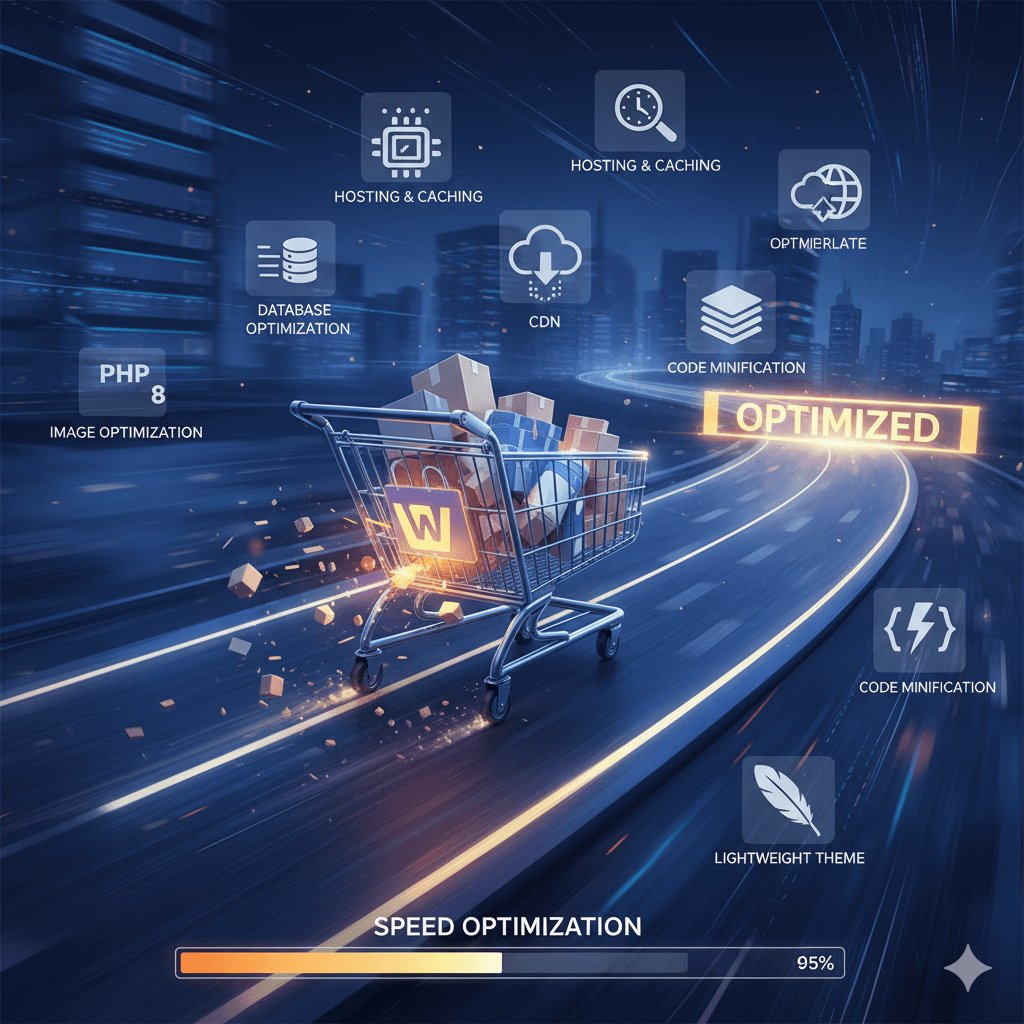
Is your WordPress website dragging its feet? In today’s fast-paced digital world, a slow website is a conversion killer. Visitors expect instant gratification, and search engines like Google heavily penalize slow-loading sites. If you’re looking for a “WordPress speed optimization plugin free,” you’re on the right track – and you’re about to discover a game-changer that lets you experience premium performance without immediate cost.

Why Website Speed is Non-Negotiable

Before we dive into solutions, let’s quickly reiterate why speed matters:

  • User Experience: Slow sites frustrate visitors, leading to high bounce rates.
  • SEO Rankings: Google prioritizes fast-loading sites, giving them better visibility.
  • Conversions & Sales: For e-commerce stores, every second of delay can mean lost revenue.
  • Mobile Performance: With more users on mobile, a snappy site is crucial for reaching a wider audience.

The good news is that you don’t need to be a developer to make your WordPress site blazing fast. The right plugin can handle the heavy lifting for you.

The Search for a “WordPress Speed Optimization Plugin Free”

Many WordPress users start their speed optimization journey by looking for free plugins. And while there are numerous options available, the real challenge is finding one that offers comprehensive features, ease of use, and genuine results. Often, free versions have limited functionality, forcing you to upgrade for essential features.

But what if you could test a full-featured, powerful solution for free, and only commit if you see tangible results?
Introducing: Kkey Speed Optimizer – Your All-In-One Solution

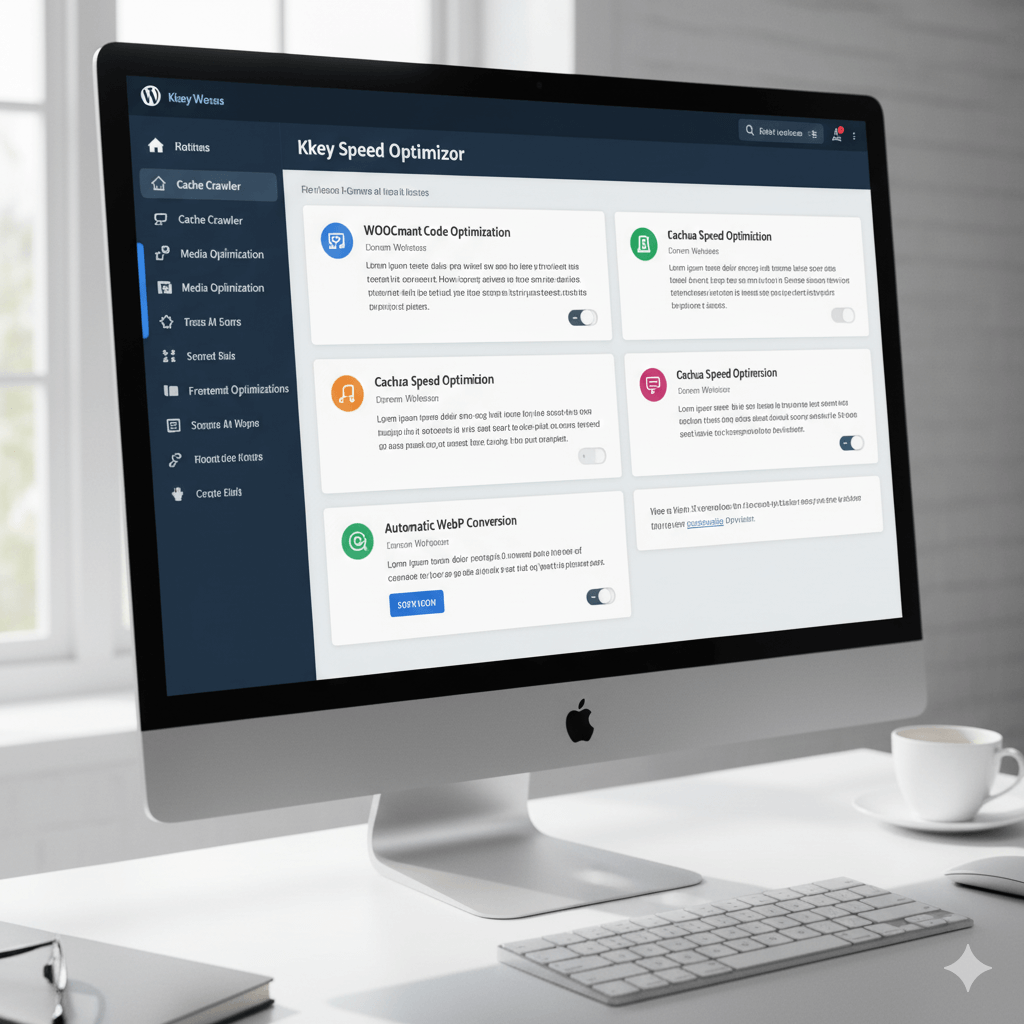
Forget juggling multiple plugins for caching, image optimization, and code minification. We’re here to talk about Kkey Speed Optimizer, a revolutionary WordPress and WooCommerce speed optimization plugin that consolidates all the critical tools you need into one user-friendly package.

And the best part? You can try it completely free for 30 days, with full functionality and no credit card required!

Why Kkey Speed Optimizer Stands Out:

Kkey isn’t just another speed plugin; it’s a comprehensive performance powerhouse designed to deliver guaranteed results. Here’s a glimpse of what it brings to your WordPress site:

  1. Smart Caching (Page, Mobile, & Object): Kkey creates super-fast, static versions of your pages, serving them instantly to visitors. It even optimizes caching specifically for mobile users, ensuring a flawless experience across all devices.
  2. Advanced Image Optimization: Large images are the #1 speed killer. Kkey automatically:
    • Converts images to the next-gen WebP format for dramatically smaller file sizes.
    • Compresses and resizes images without sacrificing quality.
    • Implements lazy loading, so images only load when they’re visible to the user. Image of
  3. Frontend & Code Optimization: Kkey intelligently handles your site’s code:
    • Minify & Combine CSS/JavaScript: Reduces file sizes and the number of requests your browser makes.
    • Defer & Delay Scripts: Ensures critical content loads first, so users see your page faster, rather than a blank screen.
  4. WooCommerce Specific Optimizations: If you run an online store, this is a game-changer! Kkey disables unnecessary WooCommerce scripts on non-shop pages, preventing slowdowns where they aren’t needed and speeding up your entire customer journey.
  5. Database Optimization: Keep your database lean and fast by regularly cleaning up old revisions and unnecessary data.
  6. Unique AI-Powered Insights: Not sure what to optimize? Kkey can use AI to analyze your site and give you clear, actionable advice in plain English. Image of
  7. Cache Crawler: Don’t wait for visitors to build your cache. Kkey intelligently pre-builds cached versions of your pages, so they’re always lightning-fast.

Get Your Guaranteed Speed Boost – Risk-Free!

You’ve been searching for a “WordPress speed optimization plugin free,” and now you’ve found a solution that offers more than just basic features. Kkey Speed Optimizer is specifically engineered to dramatically improve your website’s performance, enhance user experience, and ultimately boost your conversions and SEO rankings.

Ready to transform your slow WordPress or WooCommerce store into a speed demon?

Visit kkey.io today and try Kkey Speed Optimizer for 30 days with full functionality. No credit card is needed to get started, and a significant boost to your website speed and performance is guaranteed!

Stop letting a slow website hold you back. Experience the Kkey difference and unlock your site’s true potential.


Kkey Speed Optimizer: The Ultimate All-In-One Performance Plugin for WordPress & WooCommerce

Is your website losing customers before they even see your products? In today’s digital marketplace, speed isn’t just a feature—it’s essential. A slow website leads to high bounce rates, poor user experience, and plummeting conversion rates. If your site doesn’t load in under three seconds, you’re handing business to your competitors.

It’s time to stop letting performance issues dictate your success. Achieve top SEO rankings, ace your Core Web Vitals, and dramatically improve your Google PageSpeed Score with the ultimate performance-boosting solution.

Kkey Speed Optimizer is a revolutionary, all-in-one WordPress plugin engineered to make your website incredibly fast. Designed by performance experts, our plugin is powerful enough for seasoned developers yet simple enough for beginners. With just a few clicks, you can implement complex speed optimizations that deliver immediate, measurable results.

Don’t just build a website; build a high-speed experience that captivates visitors and turns them into loyal customers.


Unlock Your Website’s True Potential with Essential Features:

1. Powerful Caching for Instant Load Times Our intelligent caching engine creates a static, ultra-lightweight version of your site. This reduces server load by up to 80% and ensures that returning visitors experience near-instant page loads. A faster site means happier users and better SEO.

2. Advanced Frontend Optimizations Bulky code is a primary cause of website slowdown. Kkey Speed Optimizer automatically minifies your HTML, CSS, and JavaScript files, stripping out unnecessary characters and comments. By combining files and deferring non-critical scripts, we slash the number of server requests, drastically reducing the time it takes for your page to load and become interactive.

3. Smart Media Optimization & Lazy Loading High-resolution images are vital for engagement but are notorious for slowing down websites. Our plugin compresses images by up to 85% without sacrificing visual quality. Furthermore, with built-in lazy loading, images and videos only load when they enter the user’s viewport, ensuring your initial page load is lightning-fast.

4. WordPress Environment & Database Tuning Over time, your WordPress database can become cluttered with unnecessary data. Kkey Speed Optimizer includes tools to clean and optimize your database, ensuring your site’s backend is as efficient as its frontend. A lean, optimized environment means faster query times and a more responsive website.

Stop Losing Sales. Start Accelerating Growth.

A slow website actively works against you, damaging your brand reputation and your bottom line. With Kkey Speed Optimizer, you can finally take control.

  • Boost SEO Rankings: Google explicitly rewards fast websites with higher search rankings.
  • Enhance User Experience: Delight your visitors with a seamless, frustration-free browsing experience.
  • Increase Conversion Rates: A faster checkout process and product pages lead directly to more sales.
  • Master Core Web Vitals: Effortlessly improve your LCP, FID, and CLS scores.

Experience the Difference Today—Completely Free!

Why wait to unlock a faster, more profitable website? See the dramatic improvement for yourself. We are so confident in the power of our plugin that we are offering an exclusive, risk-free trial.

Try Kkey Speed Optimizer from kkey.io today with a 30-day free trial. No credit card is needed.

Install it now and watch your website performance soar.

7 Ways to Dramatically Improve WooCommerce Speed (2025)

Imagine you’re shopping online for the perfect gift. You click on a promising link, only to be met with a loading icon that seems to spin forever. You wait a few seconds, get frustrated, and click the back button. You’ve just become another lost sale for a slow eCommerce store.

In today’s competitive online market, speed isn’t just a feature; it’s a necessity. Studies show that if a page takes more than a couple of seconds to load, a significant percentage of potential customers will leave and likely never return. A slow website directly translates to lost revenue.

Let’s look at how you can measure your store’s performance and take actionable steps to make it blazing fast.

How to Measure Your Store’s Speed

Before you start making changes, you need a baseline. Understanding your current performance will help you track your improvements. Here are a few excellent, free tools to measure your site speed:

  • Google PageSpeed Insights: Provides performance scores for both mobile and desktop directly from Google, along with tailored recommendations.
  • GTmetrix: Offers a detailed performance report, breaking down metrics like “Time to First Byte” and “Fully Loaded Time” to pinpoint specific issues.
  • Pingdom: Features a user-friendly interface and allows you to test your site’s load time from various geographic locations.

Run your site through a few of these tools to get a comprehensive picture of your current speed. Now, let’s get to work on improving it.


1. Build on a Solid Foundation: High-Quality Hosting

Your web host is the engine of your online store. If the engine is weak, nothing else you do will matter. A cheap, shared hosting plan might seem cost-effective, but it often means your store is sharing resources with thousands of other websites on the same server. This can lead to dramatic slowdowns during peak traffic.

For a serious WooCommerce store, invest in a host that specializes in WordPress and WooCommerce. Look for features like:

  • Server-side caching
  • High-performance SSD (Solid State Drive) storage
  • Sufficient RAM and processing power
  • The latest versions of software like PHP and MySQL

2. Choose a Lightweight and Optimized Theme

Your theme dictates the design and layout of your store, but it also contributes significantly to its code-bloat. A complex theme with dozens of built-in features, page builders, and flashy animations adds more files (CSS and JavaScript) that the browser has to load.

When choosing a theme, prioritize speed and simplicity. You can run a theme’s demo page through the speed testing tools mentioned above to see how it performs. A well-coded theme like WooCommerce’s own Storefront is a fantastic, lightweight starting point that can be customized without sacrificing performance.

3. Optimize Your Images for the Web

For an online store, high-quality images are non-negotiable. However, large, unoptimized image files are one of the biggest culprits of slow load times. The key is to find the perfect balance between quality and file size.

  • Compress Images: Use a plugin like Smush or EWWW Image Optimizer to automatically compress images upon upload without a noticeable drop in quality.
  • Use the Right Format: Use JPEGs for product photos and PNGs for images that require a transparent background.
  • Implement Lazy Loading: This clever technique delays the loading of images until a user scrolls down to them. This dramatically speeds up the initial page load, especially for long product pages or category archives.

4. Be Strategic and Smart with Plugins

The power of WordPress and WooCommerce lies in their extensibility through plugins. However, it’s easy to fall into the trap of installing a plugin for every minor feature. Each active plugin adds code to your site, increases database queries, and sends more requests to your server.

It’s not about the number of plugins, but their quality. A single poorly coded plugin can slow your site down more than 20 well-coded ones. Regularly audit your installed plugins. If you’re not using one, deactivate and delete it. Choose reputable plugins from trusted sources that are frequently updated.

You can try Kkey Speed Optimizer completely free for 30 days at kkey.io. No credit card is needed to get started. Stop losing customers to slow load times and give your store the performance boost it deserves.

5. Leverage Caching and a Content Delivery Network (CDN)

Caching is like creating a temporary memory for your website. When a visitor arrives, their browser has to load all your assets (images, code, etc.). A caching plugin creates a static HTML version of your page, which is served much more quickly to subsequent visitors. It dramatically reduces the load on your server.

A Content Delivery Network (CDN) takes this a step further. It stores copies of your site’s static assets (like images and CSS files) on a global network of servers. When a customer from another country visits your store, the CDN delivers those assets from a server physically closest to them, significantly reducing latency and speeding up load times for your international audience.

You can try Kkey Speed Optimizer completely free for 30 days at kkey.io. No credit card is needed to get started. Stop losing customers to slow load times and give your store the performance boost it deserves.

6. Keep Your Entire Tech Stack Updated

Outdated software is not just a security risk; it’s a performance bottleneck. Updates to WordPress core, your theme, and your plugins often include performance enhancements and optimized code.

Most importantly, ensure you are running a recent version of PHP, the programming language WordPress is built on. Each new version of PHP brings significant speed improvements. You can usually update your PHP version through your hosting control panel, or you can ask your host’s support team to do it for you.

7. Clean and Optimize Your Database

Over time, your WooCommerce database accumulates a lot of “junk” data—things like old post revisions, trashed comments, expired transients, and old order information. This bloated database forces your server to work harder to find the information it needs, which slows down everything from the admin dashboard to the customer-facing storefront.

Use a database optimization plugin to periodically clean up this unnecessary data, keeping your database lean and efficient.

The Easiest Way to a Faster Store

Implementing all these optimizations can be a daunting and time-consuming task, especially if you aren’t a developer. You might need multiple plugins for caching, image optimization, asset management, and database cleaning, which can create their own conflicts.

This is why we recommend Kkey Speed Optimizer. It’s an all-in-one performance solution designed specifically for WooCommerce that handles the most critical speed optimizations for you. Instead of juggling multiple tools, Kkey Speed Optimizer provides a comprehensive suite of features, including advanced caching, image compression, asset management, and AI-powered suggestions to make your store incredibly fast with minimal effort.

Ready to see the difference for yourself? You can try Kkey Speed Optimizer completely free for 30 days at kkey.io. No credit card is needed to get started. Stop losing customers to slow load times and give your store the performance boost it deserves.

WooCommerce Speed Optimization Made Simple with Kkey.io

Is Your WooCommerce Store Losing Customers Due to Slow Speeds? Supercharge It with Kkey Speed Optimizer!

In the world of online shopping, every second counts. A slow website doesn’t just frustrate visitors—it costs you sales. If your WordPress or WooCommerce store is lagging, you’re leaving money on the table.

Introducing the Kkey Speed Optimizer, the all-in-one plugin designed to make your website incredibly fast, improve user experience, and boost your conversions. We’ve packed it with powerful features but made it simple enough for anyone to use. You don’t need to be a tech expert to get lightning-fast results!

How Does Kkey Make Your Site Faster? Simple.

Think of your website like a car. Over time, it picks up extra weight and clutter that slows it down. Kkey Speed Optimizer tunes up your engine, lightens the load, and gives it a turbo boost. Here’s how:

1. Stop Loading Unnecessary Things (Especially from WooCommerce!)

WooCommerce is fantastic, but it loads scripts and styles on every single page of your site, even your blog or “About Us” page. This is like carrying around a full set of golf clubs when you’re just going to the grocery store.

  • What Kkey does: It intelligently disables WooCommerce scripts on non-shop pages.
  • The result: Your non-product pages (like your homepage or blog) load significantly faster, creating a great first impression. It also stops the constant checking of the shopping cart on every page, a major source of slowdown for many stores.

2. Make Your Pages Load Instantly with Caching

Normally, when a visitor arrives, your server has to build the webpage from scratch every single time. This takes time.

  • What Kkey does: It creates a super-fast, ready-to-go HTML copy of your pages (this is called Page Caching). When a visitor arrives, it serves them this pre-built version instantly. It even has a separate cache for mobile users to ensure they have the best experience.
  • The result: Near-instant load times for visitors, making your site feel incredibly responsive and professional.

3. Optimize Your Website’s Code (CSS & JavaScript)

Your website’s code can be messy and disorganized, forcing browsers to download many small files, which is slow and inefficient.

  • What Kkey does: It takes all your CSS and JavaScript files, tidies them up (Minify), and bundles them together (Combine). It then tells the browser to load them in a smarter way that doesn’t block the rest of your page from appearing (Defer/Delay).
  • The result: Your pages start to appear visible to users much more quickly, so they aren’t staring at a blank white screen. This dramatically improves perceived performance.

4. Supercharge Your Images

Large, unoptimized images are the #1 cause of slow websites.

  • What Kkey does: It’s a complete image optimization suite!
    • Automatic WebP Conversion: It creates and serves next-gen WebP images, which are much smaller than JPEGs or PNGs, to compatible browsers.
    • Image Compression & Resizing: Automatically compresses and resizes oversized images when you upload them, without sacrificing quality.
    • Lazy Loading: Images will only load when a user is about to scroll to them, instead of all at once.
  • The result: Crystal-clear images that load in a flash, speeding up your entire site, especially image-heavy product pages.

5. Advanced Tweaks for Extra Speed

We’ve included a toolbox of extra goodies to squeeze out every last drop of performance:

  • Database Tools: Clean up old post revisions that bloat your database.
  • Disable Clutter: Easily turn off things you don’t need, like WordPress Emojis and Google Fonts.
  • Heartbeat Control: Reduces the constant “checking in” that WordPress does in the background, saving your server’s resources.

Unique Features That Put You Ahead

  • Cache Crawler: Don’t wait for visitors to build your cache! Our intelligent crawler automatically visits your pages in the background to make sure a super-fast version is always ready for your customers.
  • AI-Powered Analysis: Not sure where to start? Our plugin can use AI (Google Gemini or ChatGPT) to analyze your site’s performance data and give you plain-English, actionable advice on what to fix.
  • Per-Page Asset Manager: Get granular control by disabling specific scripts or styles on individual pages where they aren’t needed.

Stop Losing Sales to a Slow Website.

With the Kkey Speed Optimizer, you get:

  • A Faster Website: Deliver a seamless and speedy experience that customers love.
  • Better User Engagement: Happy visitors stay longer, view more pages, and are more likely to buy.
  • Improved SEO Rankings: Google rewards fast websites with better visibility in search results.

Ready for a super-fast store? Install the Kkey Speed Optimizer today and feel the difference!

cropped-favicon.png

Is Your WordPress Website Secure? 7 Common Vulnerabilities and How to Prevent Them

Introduction: WordPress powers over 40% of the web, which also makes it a prime target for hackers. A security breach can lead to devastating data loss, reputational damage, and costly downtime. Here are seven common vulnerabilities and the steps you should take to protect your digital asset.

Outline:

  • Weak passwords and user permissions.
  • Outdated plugins and themes.
  • Lack of a Web Application Firewall (WAF).
  • Poor quality hosting environments.
  • Not using SSL/HTTPS.
  • Vulnerabilities from “nulled” (pirated) premium themes.
  • Failure to perform regular backups.

Is Your WordPress Website Secure? 7 Common Vulnerabilities and How to Prevent Them

WordPress powers over 40% of the web, which also makes it a prime target for hackers. A security breach can lead to devastating data loss, reputational damage, and costly downtime. Here are seven common vulnerabilities and the steps you should take to protect your digital asset.


1. Weak Passwords and User Permissions

The Vulnerability: The most common way hackers gain access is simply by guessing weak, easily memorable passwords like “123456” or “password”. This is known as a “brute force” attack. Similarly, giving every user “Administrator” access creates multiple high-privilege entry points that can be compromised.

How to Prevent It: Enforce a strong password policy for all users, requiring a mix of uppercase letters, lowercase letters, numbers, and symbols. Use a password manager to generate and store complex passwords. Critically, practice the principle of “least privilege”: only give users the minimum level of access they need to do their job (e.g., “Editor” instead of “Administrator”).


2. Outdated Plugins and Themes

The Vulnerability: The number one technical reason for WordPress hacks is outdated software. When a security flaw is discovered in a plugin or theme, developers release a patch in an update. If you fail to apply that update, you are leaving a known, unlocked door for attackers to walk right through.

How to Prevent It: Make it a weekly habit to check for and apply all available updates for your WordPress core, plugins, and themes. Better yet, sign up for a professional maintenance plan that handles these crucial updates for you, ensuring your site is always protected against known threats.


3. Lack of a Web Application Firewall (WAF)

The Vulnerability: A Web Application Firewall (WAF) acts as a protective shield between your website and incoming traffic. Without one, malicious requests, spam bots, and hacking attempts can hit your server directly, probing for weaknesses.

How to Prevent It: Use a reputable WAF service. Solutions like Cloudflare or Sucuri provide a firewall that proactively blocks malicious traffic before it ever reaches your website, significantly reducing your risk of attack.


4. Poor Quality Hosting Environments

The Vulnerability: Not all hosting is created equal. Cheap, shared hosting often crams thousands of websites onto a single server with poor security configurations. If one website on the server gets infected, the malware can potentially spread to others, including yours—a problem known as cross-contamination.

How to Prevent It: Invest in high-quality, managed WordPress hosting. Reputable hosts provide better security features, server-level firewalls, and isolated environments that protect your site from its “neighbors.”


5. Not Using SSL/HTTPS

The Vulnerability: An SSL certificate encrypts the data transferred between your website and its visitors. Without SSL (indicated by https:// in your URL), any data submitted through your forms—including login credentials and customer information—is sent as plain text, making it easy for hackers to intercept. Google also flags sites without HTTPS as “Not Secure,” which damages user trust.

How to Prevent It: Install an SSL certificate on your website. Most quality web hosts offer free “Let’s Encrypt” SSL certificates that can be installed with a single click. Ensure your website is configured to force all traffic over HTTPS.


6. Vulnerabilities from “Nulled” (Pirated) Premium Themes

The Vulnerability: Downloading a “free” version of a paid premium theme or plugin from an untrusted source is one of the riskiest things you can do. These “nulled” products are almost always injected with malicious code, backdoors, or spam links that will compromise your site as soon as you install them.

How to Prevent It: The solution is simple: only purchase or download themes and plugins directly from the official WordPress repository or the original developer’s website. The money you save on a pirated theme is nothing compared to the cost of cleaning up a hacked website.


7. Failure to Perform Regular Backups

The Vulnerability: Sometimes, despite your best efforts, things can go wrong. A hack, a bad plugin update, or a server error could take your entire site offline. Without a recent backup, you could lose all of your content, customer data, and hard work permanently.

How to Prevent It: Implement an automated, off-site backup solution. Your website should be backed up at least daily, and the backup files should be stored in a secure, remote location (like Google Drive or Dropbox), not just on your web server. This ensures that if the worst happens, you can restore a clean version of your site quickly.

Protecting your website is not a one-time task; it’s an ongoing process. By being proactive about these common vulnerabilities, you can secure your digital asset and protect your business.

Concerned about your website’s security? Contact kkey.io today for a free, no-obligation security audit.